Set the limits before the schedule
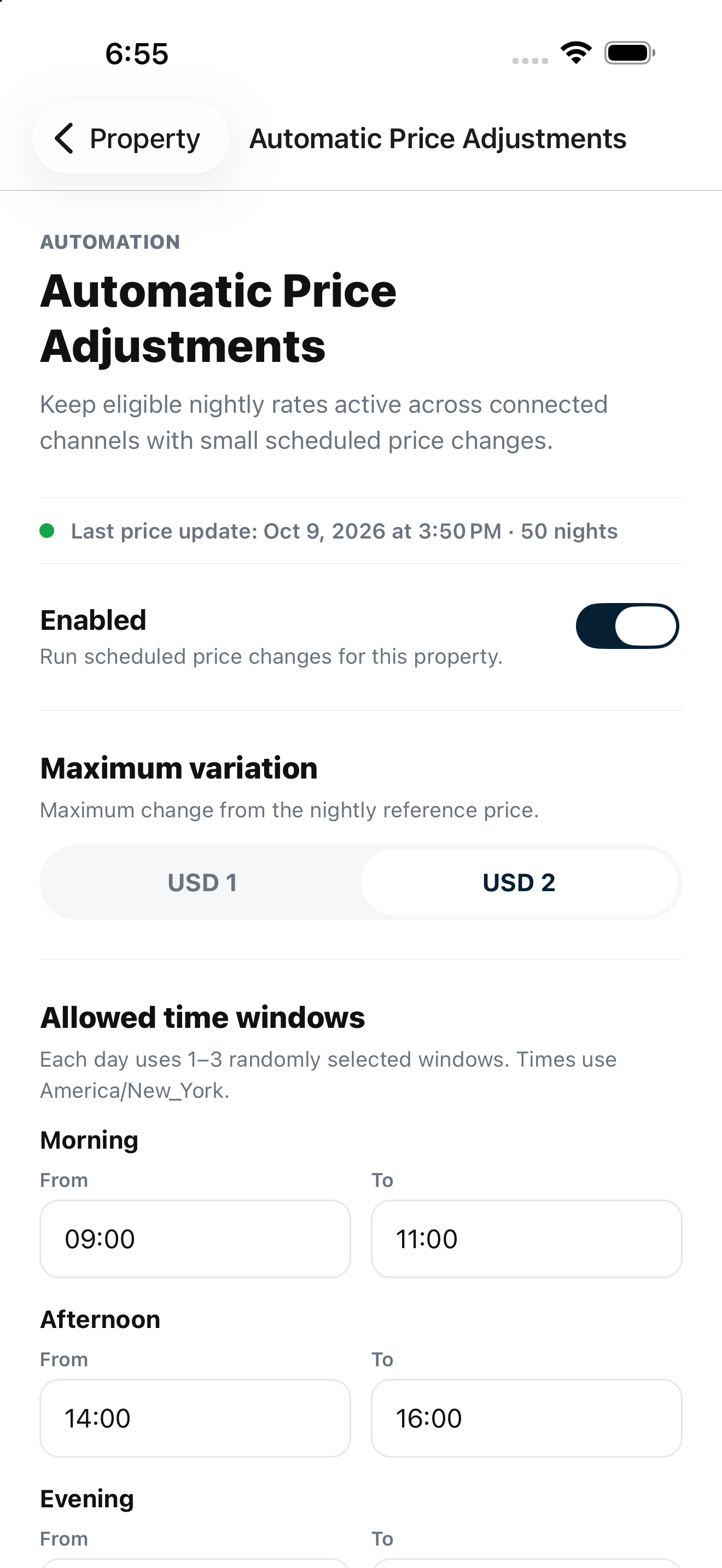
Choose whether the property uses automatic adjustments and set the permitted variation from its reference price. Changes remain bounded rather than compounding with every run.

Dynamic Pricing
Configure automatic nightly rate adjustments around your property’s reference prices, selected time windows and protected dates.
Built for independent hosts and property teams.
Purposeful details
Choose whether the property uses automatic adjustments and set the permitted variation from its reference price. Changes remain bounded rather than compounding with every run.
Morning, Afternoon and Evening can be enabled independently for each property. Set local start and end times, and keep only the windows that fit your operation.
Reservations, blocks, protected dates and booking lead time are excluded. Preview the behavior and inspect upcoming executions and history before expanding usage.
From setup to daily use
Confidence through clarity
Automatic adjustments are optional and disabled by default. They do not guarantee higher search ranking or revenue. The service rechecks date eligibility before sending rate updates.
Review your setup with us ↗Good questions
Yes. Enable Morning and disable Afternoon and Evening. At least one window is required while automation is enabled.
No. Automatic changes remain bounded around the effective reference price.
Occupied reservation nights are excluded from automatic adjustment.
Your next chapter in hosting
Bring your properties, channels and team.
We’ll walk through the workflow that matters to you.