Choose the question before the period
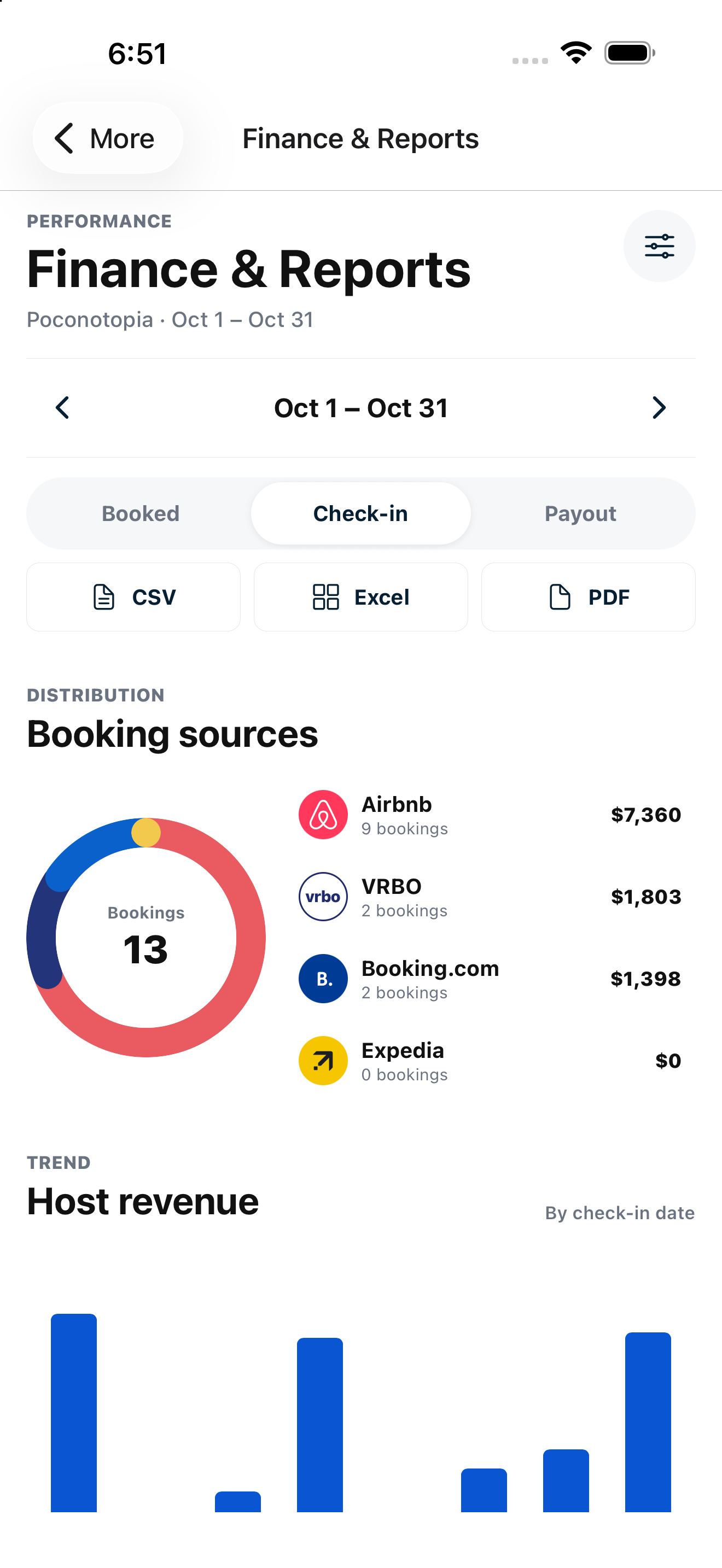
Review performance by booked-on date, check-in date or payout basis. Property, source and status filters keep the report focused on the question you are answering.

Analytics and Reports
See host revenue, booking value and stay performance with clear date bases, filters and exports for your business.
Built for independent hosts and property teams.
Purposeful details
Review performance by booked-on date, check-in date or payout basis. Property, source and status filters keep the report focused on the question you are answering.
Host revenue and gross booking value are different measures. ADR uses room revenue rather than treating cleaning, pet fees and taxes as nightly earnings.
Review booking-source distribution, revenue trends, room nights, average stay, lead time and cancellations. Export the filtered report as CSV, Excel or PDF.
From setup to daily use
Confidence through clarity
Payout reporting uses the supported provider basis: Airbnb is grouped by its scheduled day after check-in; channels without an exposed payout date use check-in. This is not a bank-reconciled payout statement.
Review your setup with us ↗Good questions
Owner and Manager accounts. Financial access is restricted by role.
Yes. Exports use the same report query as the selected visualization.
No. ADR uses room revenue and excludes non-room fees and taxes.
Your next chapter in hosting
Bring your properties, channels and team.
We’ll walk through the workflow that matters to you.