Your portfolio, together
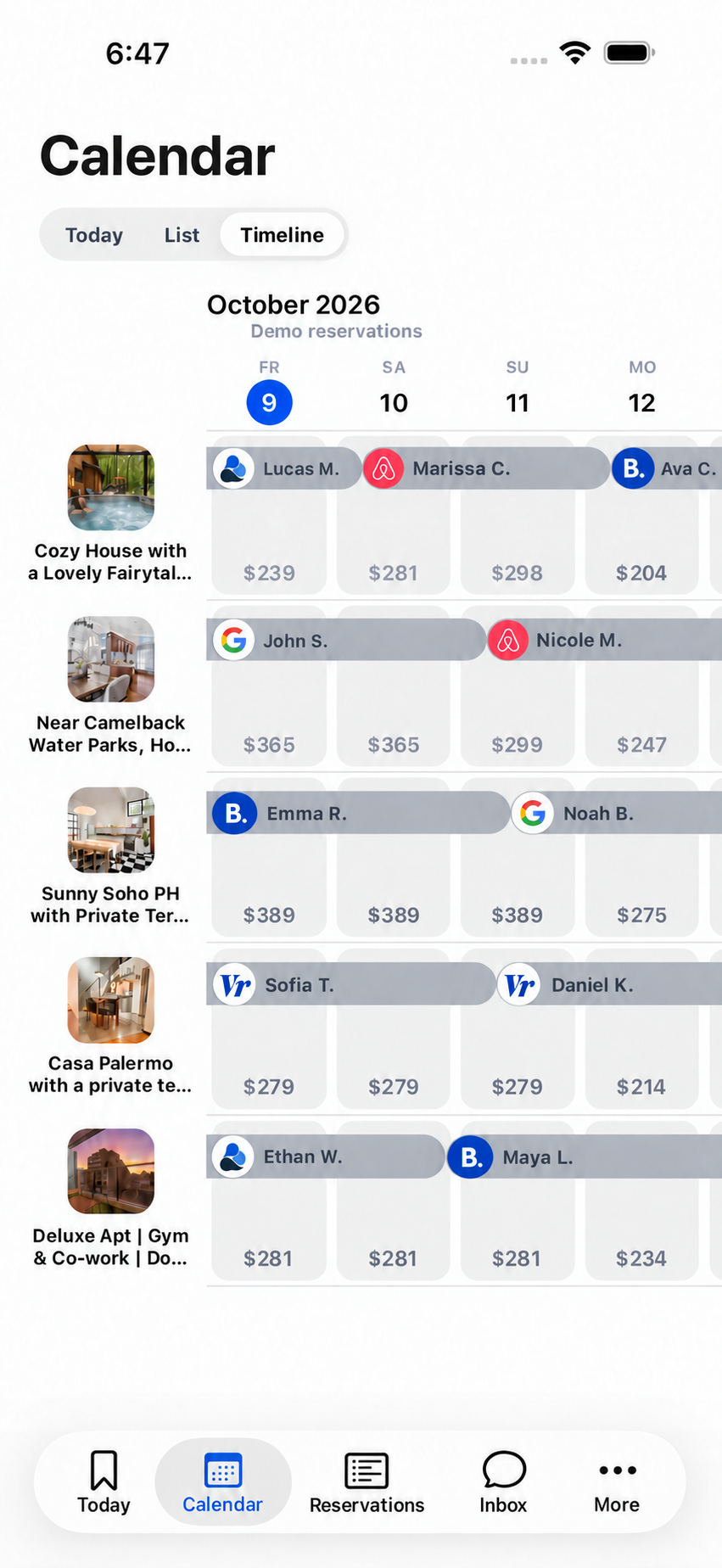
The timeline brings your properties and reservations into one workspace. See the booking source and guest label, then open the stay for its details.

Property Management System
See reservations, nightly prices and availability together. Move from the portfolio calendar to one home without losing the context of a stay.
Built for independent hosts and property teams.
Purposeful details
The timeline brings your properties and reservations into one workspace. See the booking source and guest label, then open the stay for its details.
Each property has its own calendar, pricing, seasonal rules, discounts and minimum-stay settings. Edit selected dates when a particular night needs a different rule.
Confirmed stays, cancellations and manual blocks feed the calendar and the operational workflows around them. Reservation notes keep useful host context with the booking.
A closer look at each home
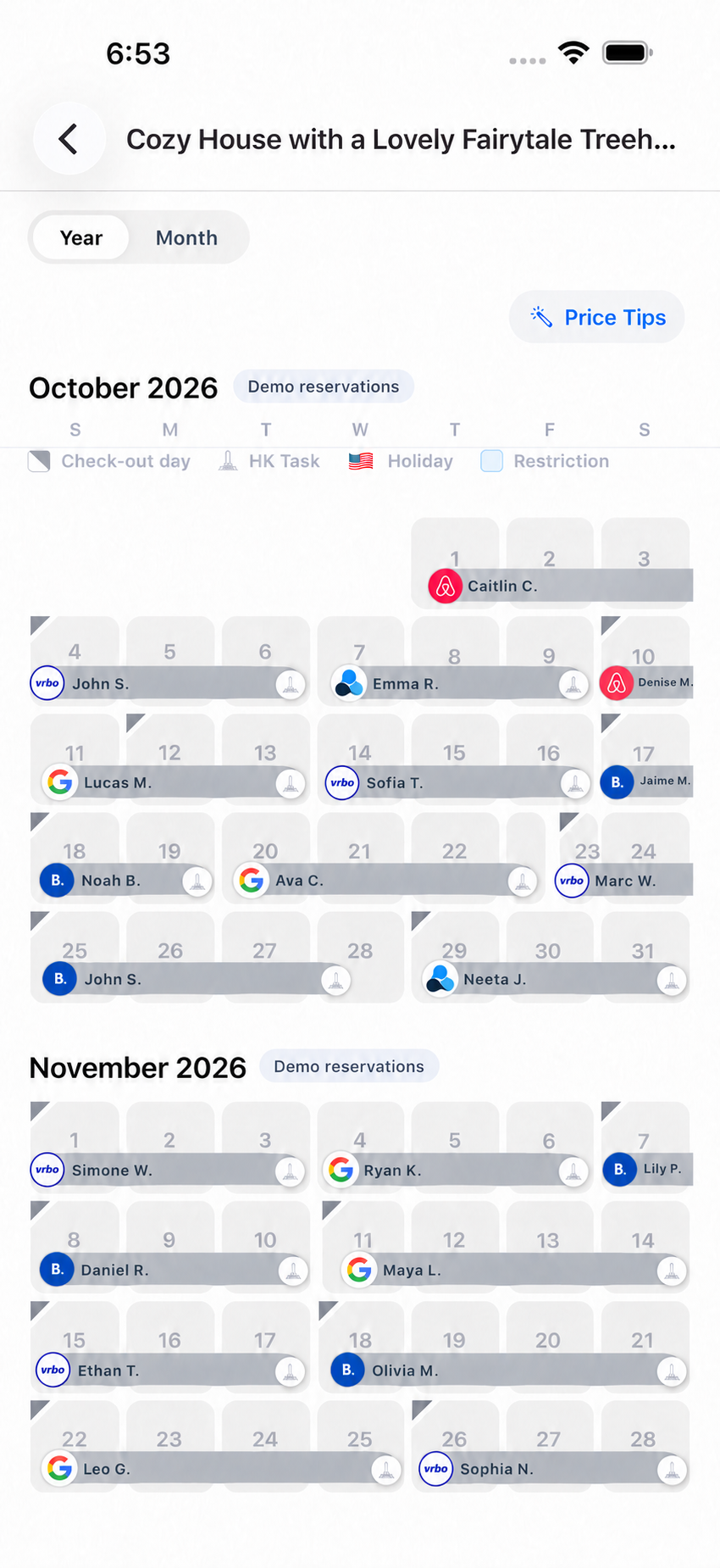
Open one home to see its stays, dates and pricing controls together. Keep the portfolio view for the big picture and the property calendar for the detail.
From setup to daily use
Confidence through clarity
Property access is scoped to your company. Channel synchronization reports delivery separately from a saved calendar edit; a saved change is not a guarantee that an OTA has already published it.
Review your setup with us ↗Good questions
Yes. The portfolio timeline combines properties, while each home retains its own calendar and settings.
Yes. Calendar overrides let you adjust selected dates rather than rewriting the default property rules.
Your next chapter in hosting
Bring your properties, channels and team.
We’ll walk through the workflow that matters to you.