Plan around the reservation
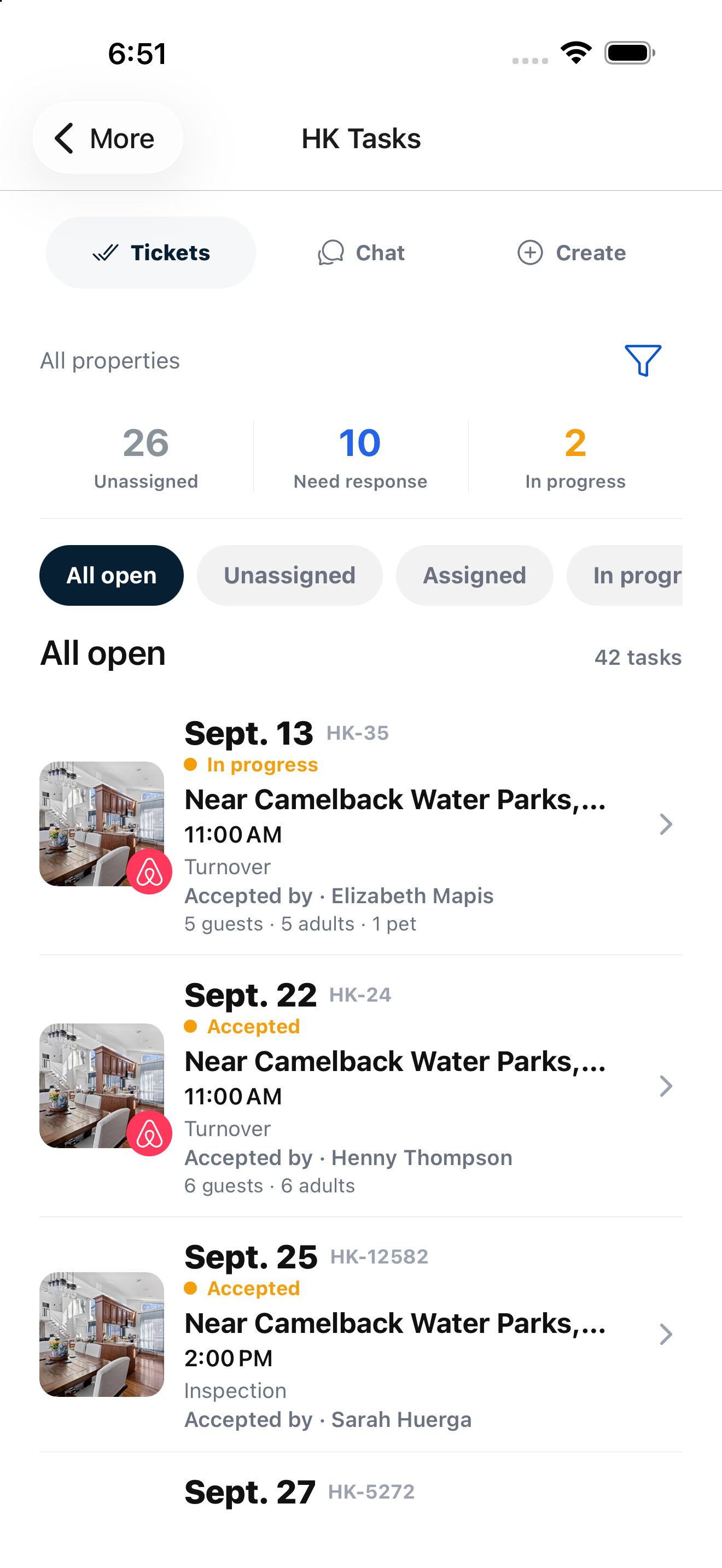
Turnover tasks are reconciled from confirmed stays. Checkout time and the property’s timezone define the work window; same-day arrivals make back-to-back deadlines visible.

Operations
Turn checkouts into work your team can see, accept and complete. Keep housekeeping and property readiness connected to the stay.
Built for independent hosts and property teams.
Purposeful details
Turnover tasks are reconciled from confirmed stays. Checkout time and the property’s timezone define the work window; same-day arrivals make back-to-back deadlines visible.
Assign manually or enable property-level automatic assignment. Availability, daily capacity and the properties a contractor serves guide selection.
Task conversations, status updates and linked maintenance or restock problems keep the issue with its original ticket. Follow-up work stays visible until it is resolved.
From setup to daily use
Confidence through clarity
Housekeepers see the operational information needed for the job, including timings and guest counts. Their workspace does not expose guest names, contacts, messages or booking prices.
Review your setup with us ↗Good questions
Yes. Manual assignment is the default; automatic assignment is enabled per property.
The team can report a linked maintenance or restock issue so it remains connected to the source ticket.
Your next chapter in hosting
Bring your properties, channels and team.
We’ll walk through the workflow that matters to you.